


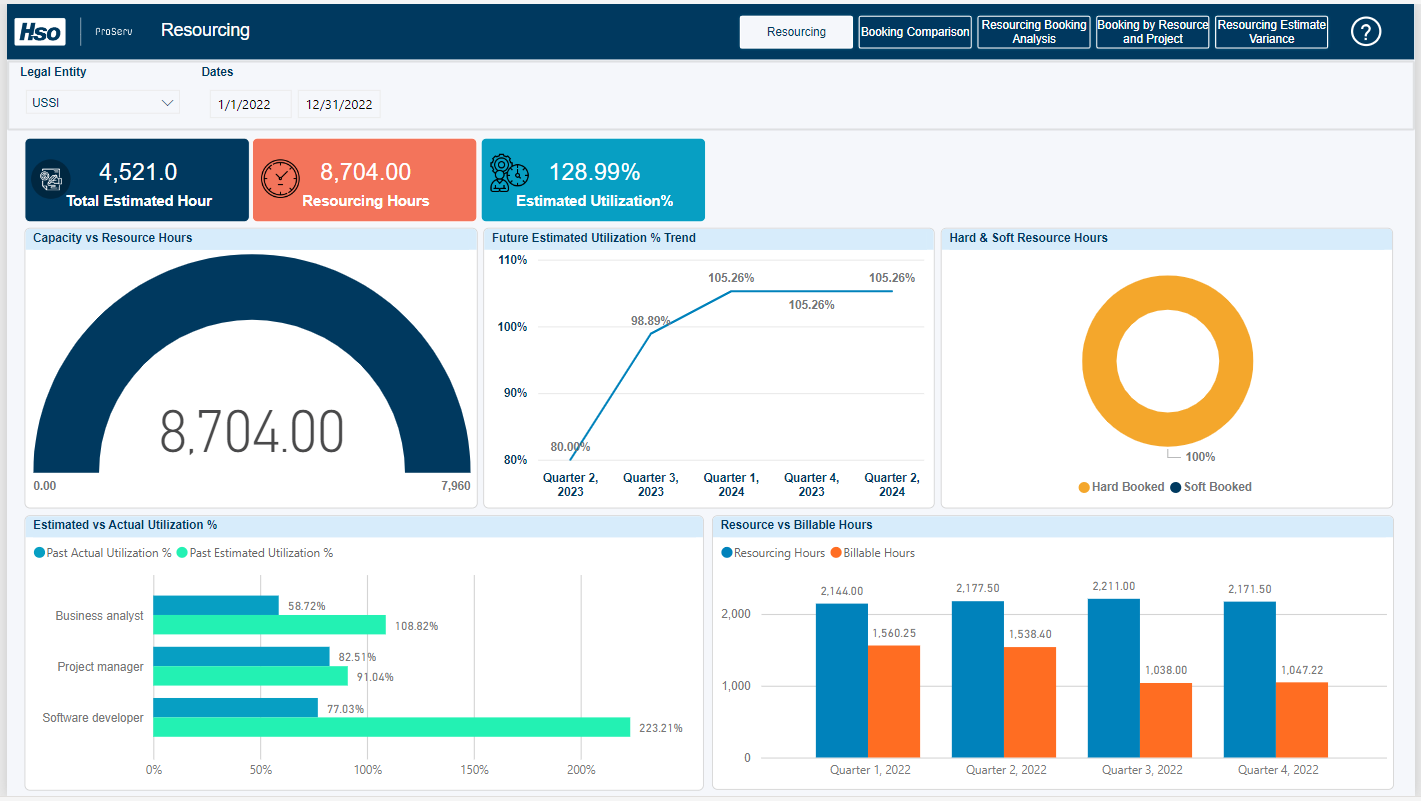
The resourcing content pack provides the details of the resource hours on the assigned project. The key elements of this report are:
Resourcing: It gives an insight when comparing pairs of the following factors:
- Resource Capacity vs. Actual Booked Hours by Resource .
- Hard Booked vs. Soft Booked .
- Estimated Utilization% vs. Actual Utilization% . * Actual Booked Hours by Resource vs. Billable Hours Booked by Resource .
Along with these comparisons, this report provides an insight into the future estimation of the overall utilization rate of the entire organization. These visuals are helpful to identify if they are being effectively utilized or not.
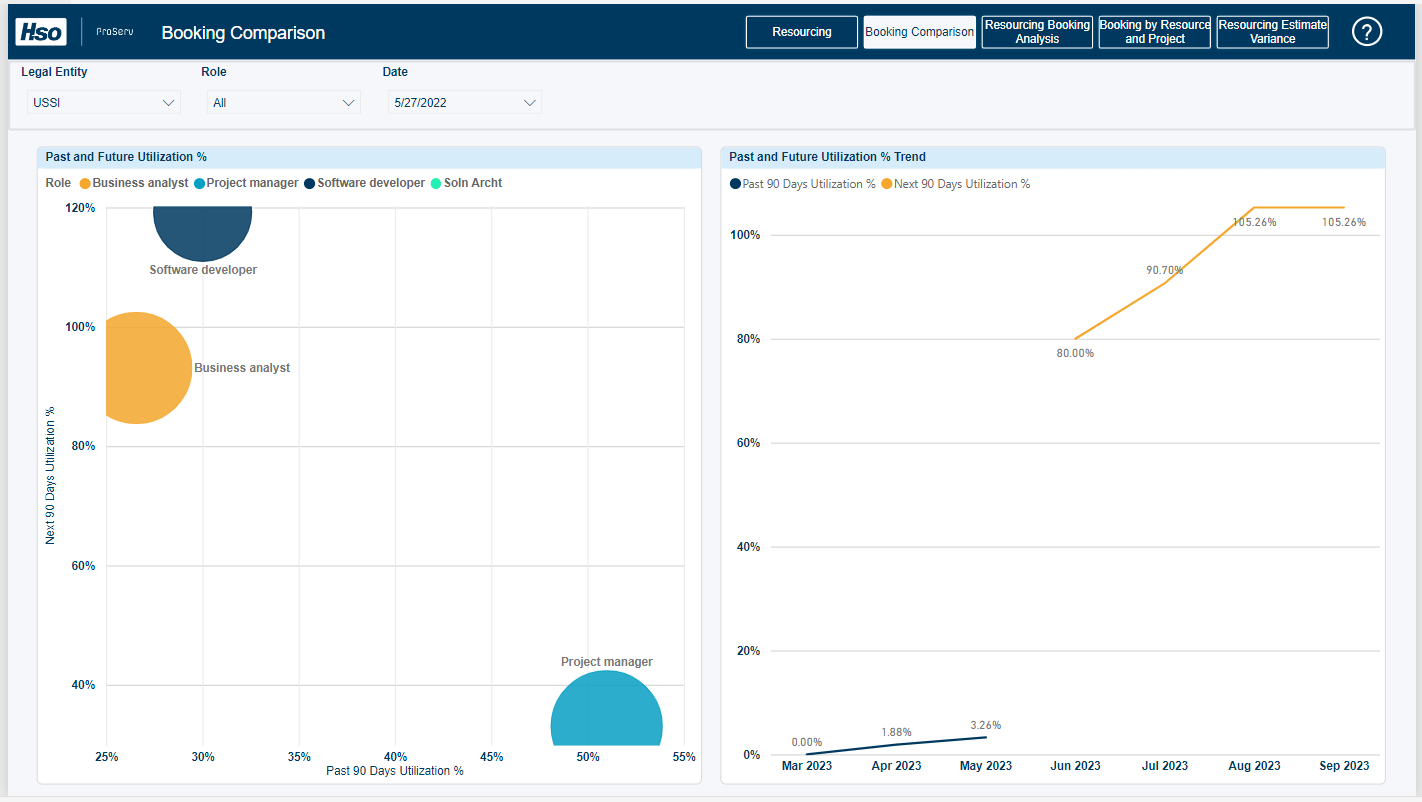
Booking Comparison: It gives an idea about the ‘Past Utilization %’ and ‘Future Utilization % based on resource role, which will be helpful in the project budget.
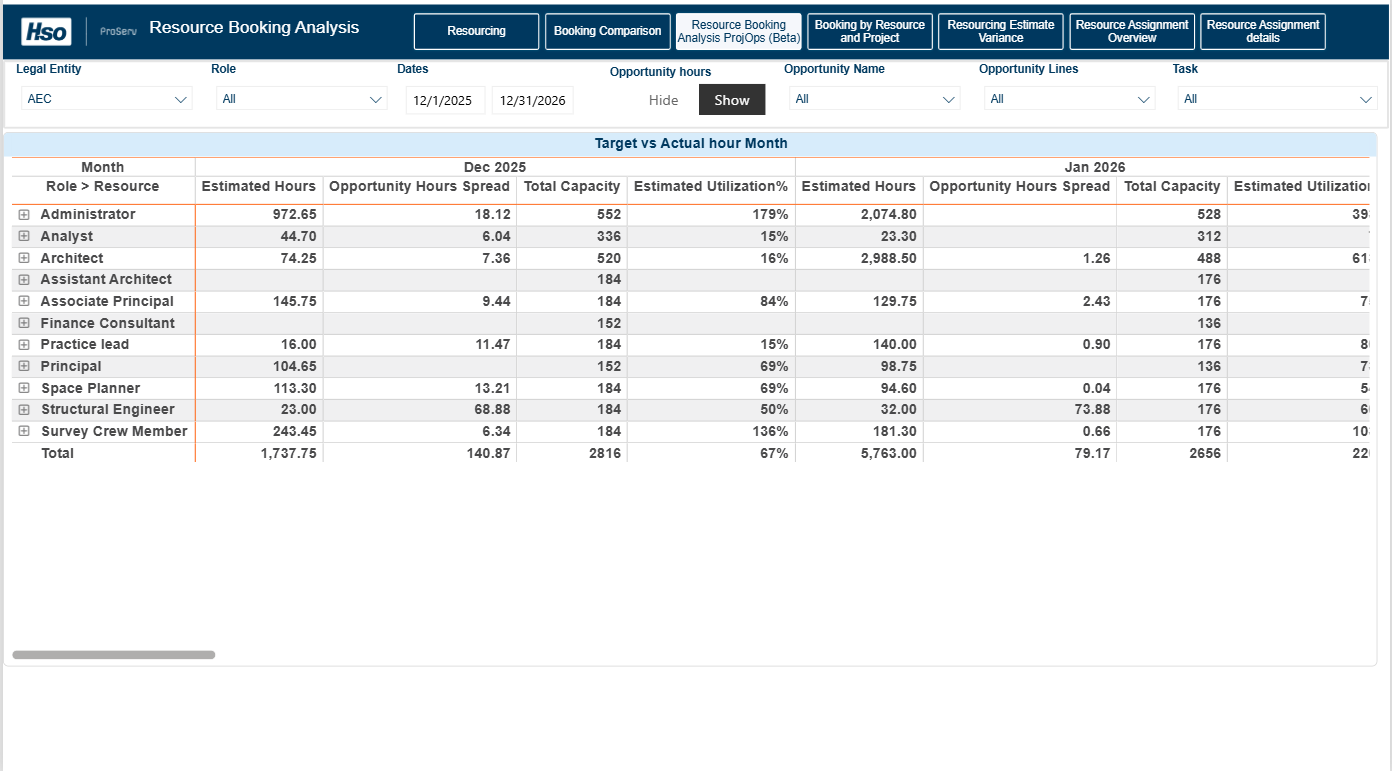
Resource Booking Analysis ProjOps (Beta): This report compares booked hours, opportunity hours, and capacity to provide visibility into current and future resource demand, along with estimated utilization by role. Opportunity hours from the Fee Estimator are time‑phased across working days based on task duration.
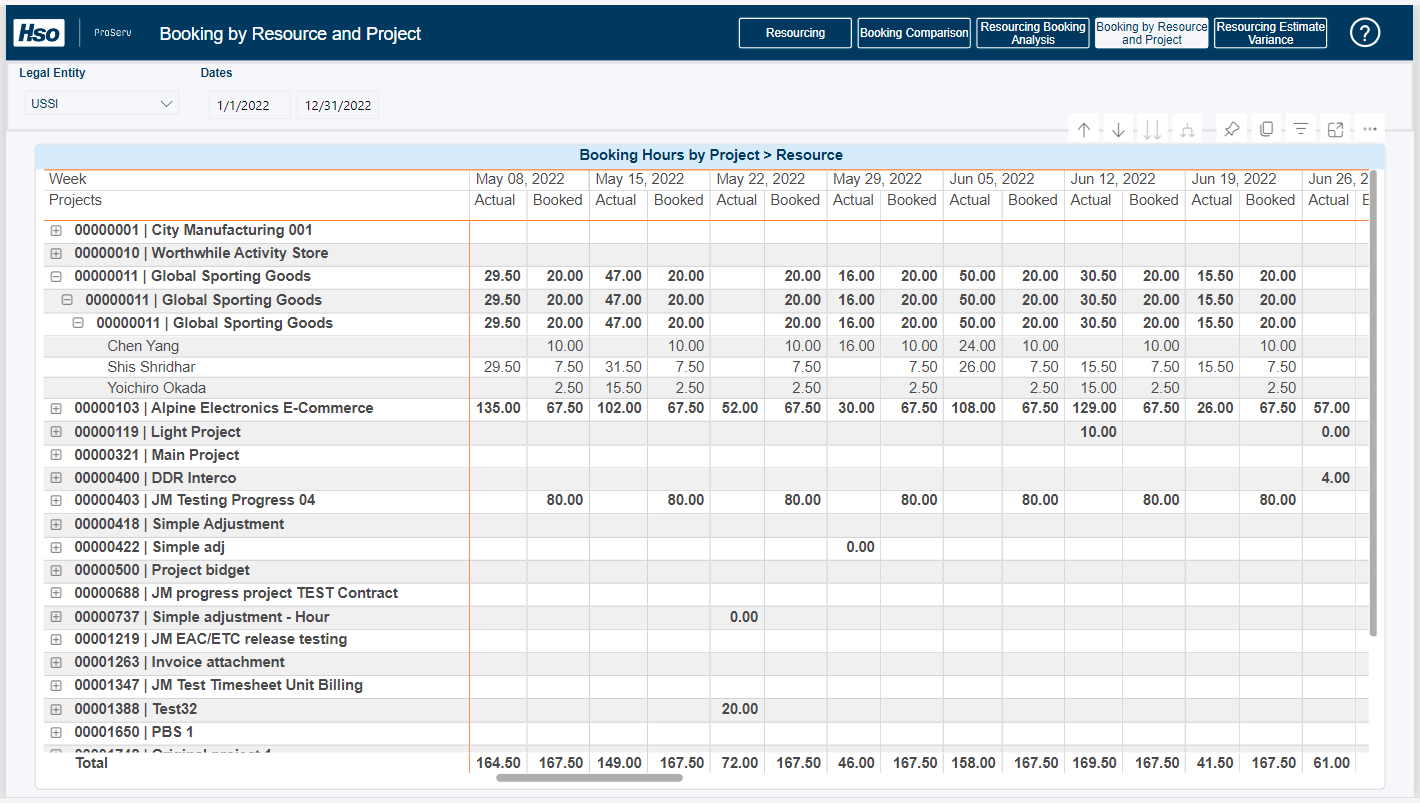
Booking By Resource and Project: It shows the comparison between actual hours and resourcing hours of all resources for every week.
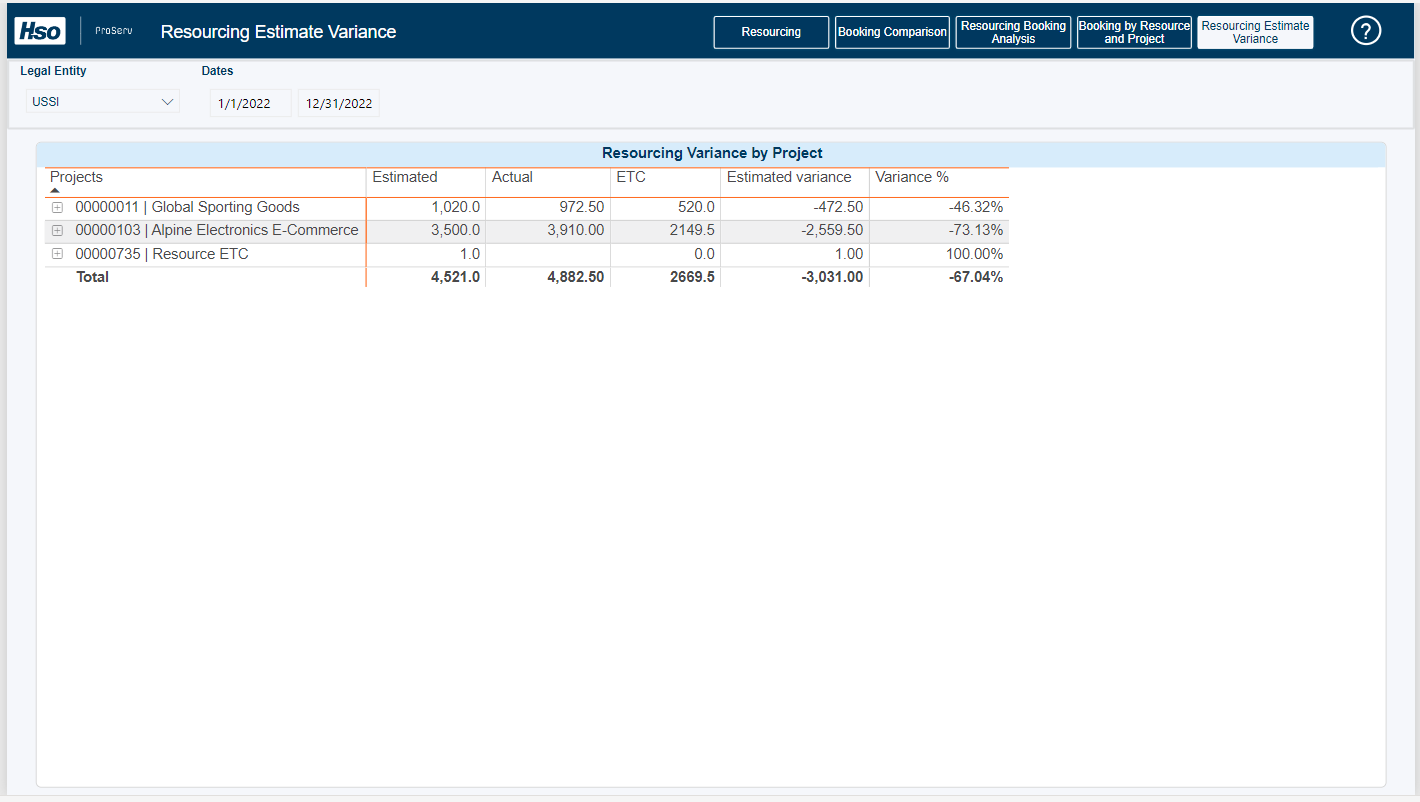
Resourcing Estimate Variance: It provides an analysis of the deviation between resource forecast and actual values and how well forecast values are aligned with real outcomes.
This report gives an overall idea about resource utilization (Over or Under), effort spent on any project, future utilization estimations, identifying areas for improvement, and assessing efficiency.
In the first tab, Resourcing, on the first row, it shows the overall capacity of the organization vs. how many hours are booked, the percentage comparison between hard booking and soft booking, and the estimated utilization percentage for the future. In the second row, it shows the comparison between past actual utilization percentage and past estimated utilization percentage and the comparison between resourcing hours and billable hours’.
On the second tab, Booking Comparison, on the left side, it shows the utilization percentage of the past 90 days and the upcoming 90 days based on the role. On the right side, we are displaying the utilization percentage of the previous and upcoming 90 days on a monthly basis.
On the third tab, the Resource Booking Analysis ProjOps (Beta) shows booked hours, opportunity hours, available capacity, estimated % utilization by month for each role, and its associated resources.
A Show/Hide toggle provides greater control over how opportunity hours are factored into Estimated Utilization% calculations:
- Show: Estimated Utilization% incorporates both confirmed bookings and opportunity hours, offering a forward-looking perspective.
- Hide: Estimated Utilization% is calculated solely on confirmed bookings, presenting a more conservative scenario.
The Resource Booking Analysis ProjOps (Beta) view applies a time‑phased allocation approach to opportunity hours, ensuring effort is distributed across the task duration.
- Opportunity hours are sourced from the Fee Estimator and distributed between the defined start and end dates of each task. A working‑day sequence is generated for each record, representing only valid working days within the duration; weekends and holidays are excluded to align with standard working calendars.
- Total opportunity hours are proportionally distributed across working days, resulting in a daily allocation of effort that reflects how work may be expected to progress over time.
- The generated daily records are further enriched with month and year attributes, enabling aggregation at daily, monthly, or yearly levels while maintaining consistency across reporting views.
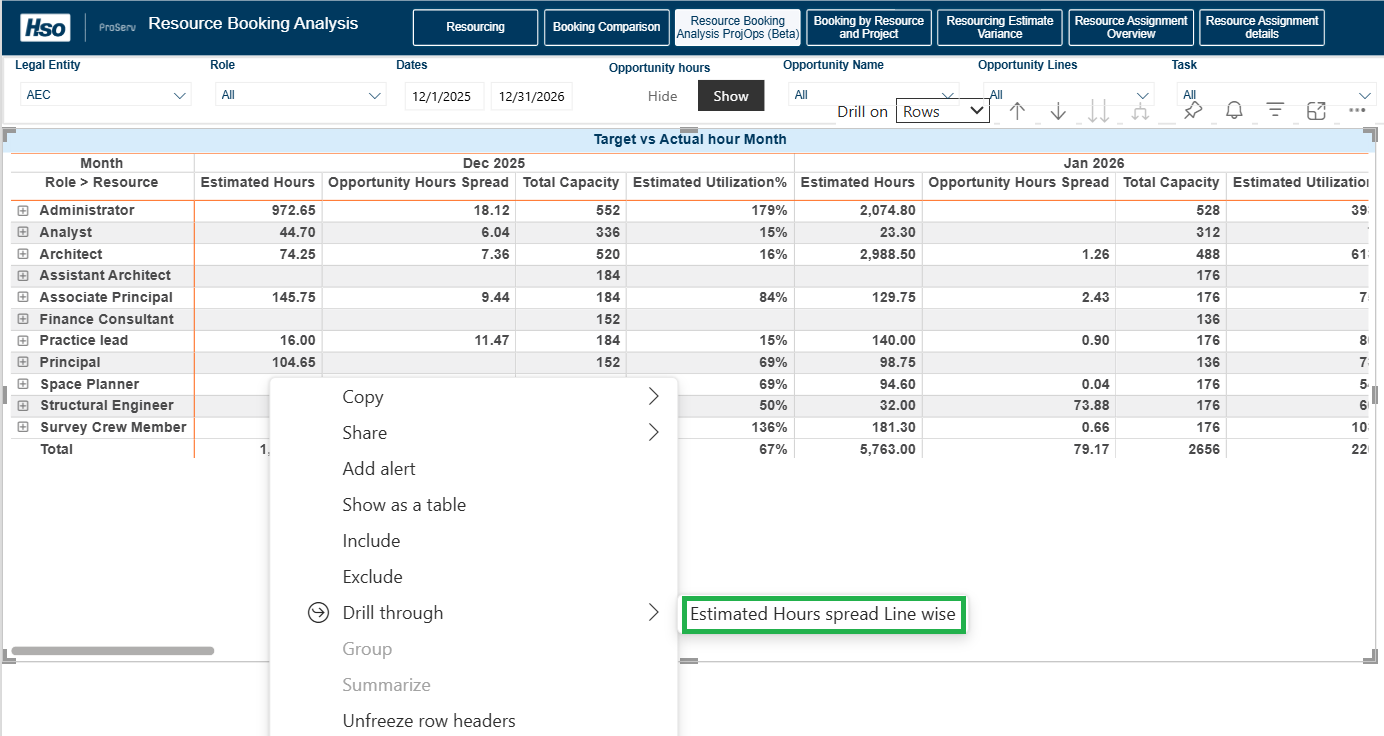
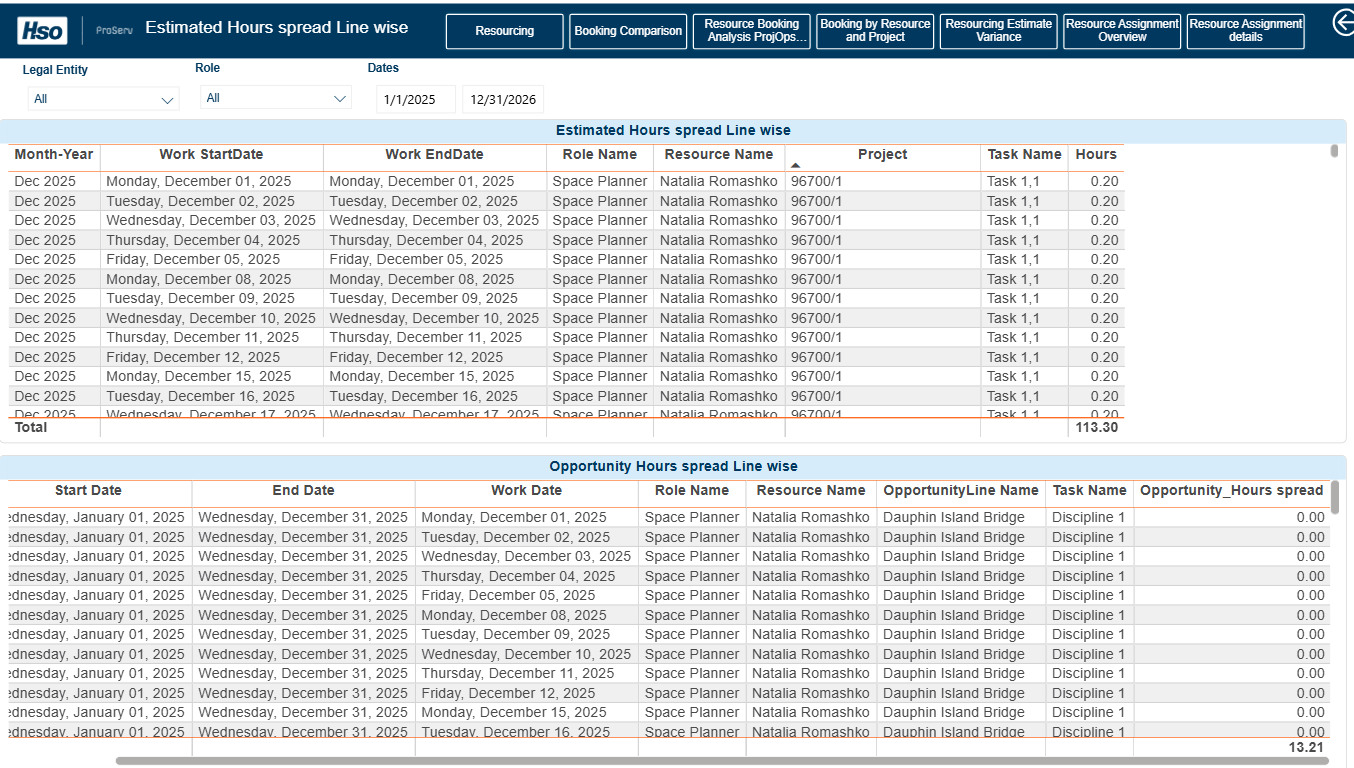
To view Estimated Hours at the resource level (line‑item detail), drill through from a selected role or resource to open the Estimated Hours – Spread Line Wise view, which shows a detailed breakdown scoped to that resource.
This action opens a detailed view scoped to the selected resource.
The Estimated Hours – Spread Line Wise view provides a granular breakdown of hours associated with the option selected. Use this view to understand how estimated and opportunity hours are allocated over time and across projects.
On the fourth tab, ‘Booking by Resource and Project’, it shows the ‘Actual Hours’ and ‘Booked Hours’ on a weekly basis for each project and associated resources.
On the fifth tab, ‘Resourcing Estimate Variance’, it shows the estimated hours, actual booked hours, estimated time to complete, estimated variance, and variance percentage for each project and associated resources.
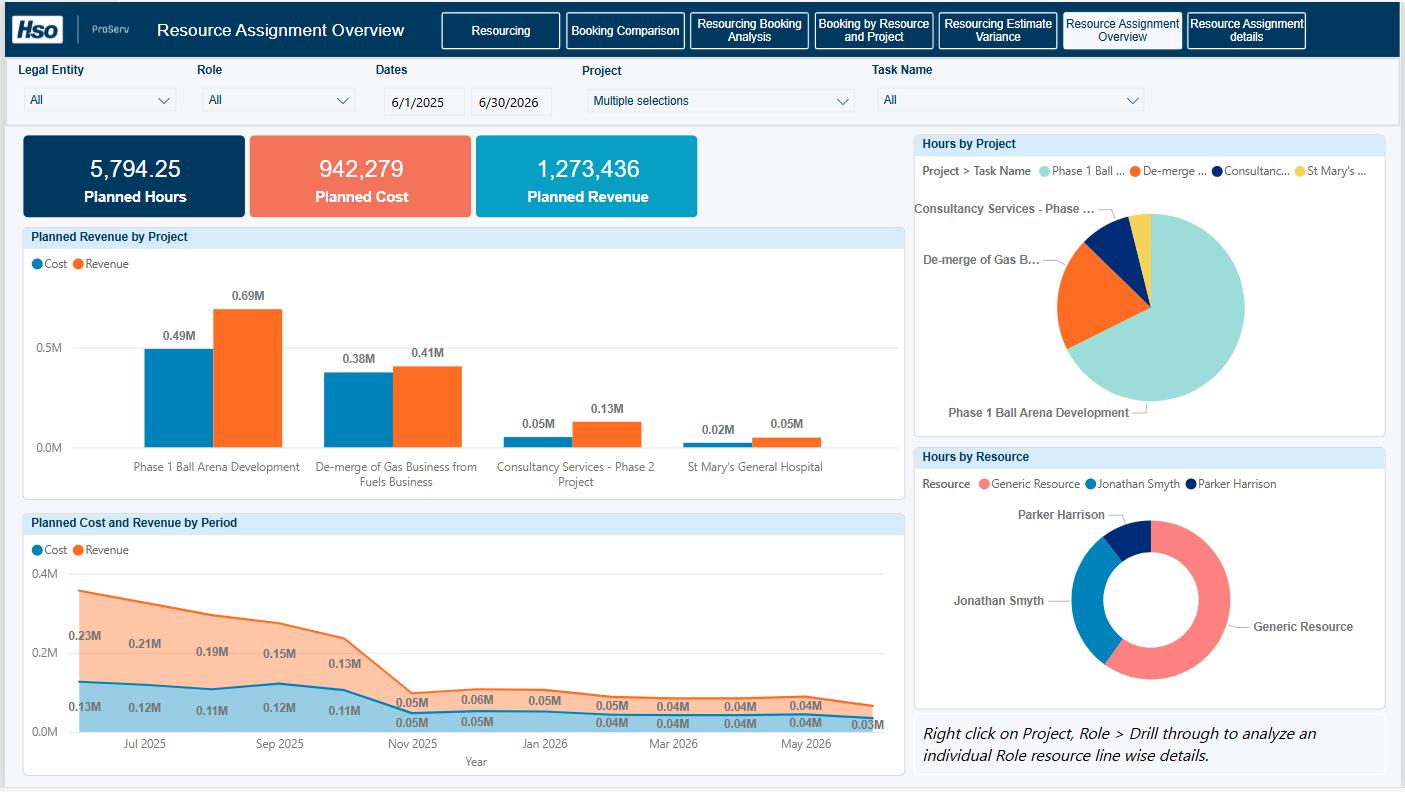
On the sixth tab, ‘Resource Assignment Overview’, it shows the Planned hours, Planned Cost Planned Revenue for each project and associated Role.
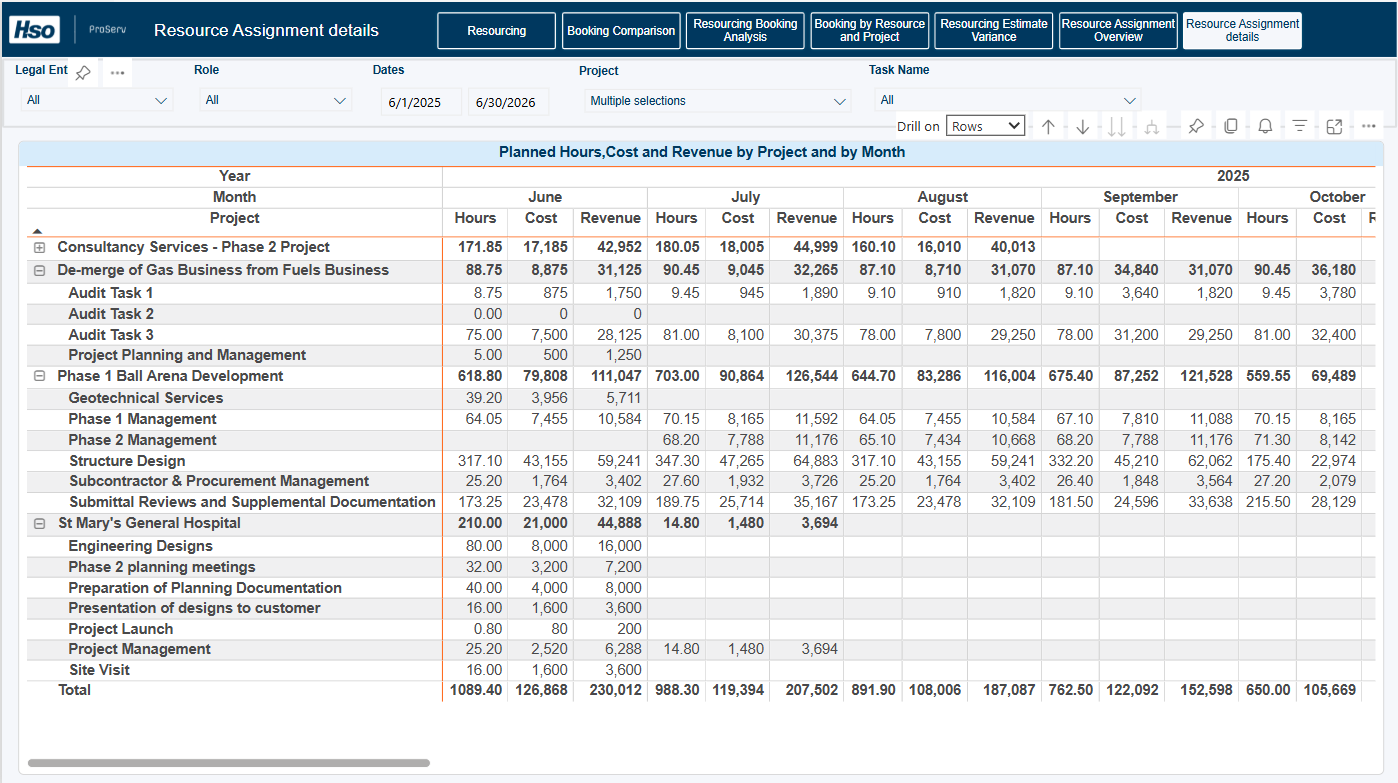
On the seventh tab, ‘Resource Assignment Details’, it shows the planned hours, Planned Cost Planned Revenue for selected project and Task by selected period.
Post your comment on this topic.